
Poptin vs Seentics: Popups, Automations and Analytics Compared (2026)
Poptin vs Seentics: an honest, feature-by-feature comparison of a dedicated popup and form builder against behavior-triggered popups built into privacy-first, self-hostable analytics.
Poptin vs Seentics: Popups, Automations and Analytics Compared (2026)
 vs
vs 
These two products overlap, but they start from opposite ends. Poptin is a popup and form builder: templates, form fields, a leads list and integrations. Seentics is privacy-first analytics (funnels, heatmaps, session replay, revenue) with behavioral automations that can show modals and banners. We build Seentics, so read this with that in mind. We say plainly where Poptin is the better choice.
Poptin details come from public sources such as Capterra because we could not load poptin.com directly. Confirm current features and pricing on the vendor's site. Comparisons are as of October 2026.
Photo from Unsplash.
TL;DR
- Poptin wins at building campaigns fast: templates, form fields, a leads list and email integrations.
- Seentics wins at targeting from real behavior, measuring what happened next (funnels, goals, replays, revenue), privacy and self-hosting.
- Seentics does not fully replace Poptin yet. It captures emails, lists each form's submissions on its automation page for 90 days and sends them on to Mailchimp, Klaviyo, HubSpot, Zapier or any webhook, but it is not a contact database. It has no drag-and-drop canvas, a much smaller template library and a narrower integration catalogue.
- You can use both: a form tool for email capture and Seentics for analytics and behavior-triggered messages.
At a glance
| Poptin | Seentics | |
|---|---|---|
| Core product | Popup, form and lead capture builder | Web analytics with behavioral automations |
| Visual popup / form builder and templates | Yes | Form-style editors with a live preview and a handful of starter templates; no drag-and-drop canvas or large template library |
| Popup types and mechanics | Many, including gamified formats | Simple, spin-to-win (prize drawn server-side), multi-step quiz, countdown (per-visitor or fixed), teaser tab, sticky bar, coupon codes |
| Triggers | Exit intent, scroll, time and more | Exit intent, time on page, scroll depth, element click, visit history |
| Targeting | Visitor rules | Country, region, city, browser, OS, device, referrer, visit count, new vs returning, identify() traits |
| Actions | Popups, forms, bars | Modals, banners, webhooks, redirects, custom JavaScript |
| Leads list | Yes, a central list of leads | No central list. Each form lists its own submissions for 90 days (search, CSV export, delete, variant attribution) and forwards them to your tools |
| Email platform integrations | Yes, a wide catalogue | Four kinds: Zapier / webhook, Mailchimp, Klaviyo, HubSpot, with several destinations per site, per-form routing and automatic retries. Anything else via Zapier, a webhook or CSV export |
| Funnels, heatmaps, session replay | Not the focus | Included |
| Revenue and UTM attribution | No | Yes |
| Self-hosting | No | Yes (AGPL v3) |
| Cookies / fingerprinting | Not verified | None |
| Pricing basis | Monthly visitors per plan | Free, or Pro with optional metered extra usage; self-host free |
Pricing
Poptin's free plan is listed at 1,000 visitors per month and one domain, with paid plans per Capterra at $25 (10,000 visitors, 1,000 autoresponders), $59 (50,000 visitors, 4 domains) and $119 (150,000 visitors). One source says those prices require annual billing. Seentics offers a Free plan and a Pro plan with optional metered extra usage, and you can self-host the open-source core at no license cost (you pay for your own infrastructure). See the Seentics pricing page.
The practical difference: Poptin charges for the popup tool, so a site that also needs analytics, heatmaps and replay pays for those separately. Seentics bundles them, but gives you less popup tooling.
Where Poptin is better
- Building campaigns fast. A visual editor, templates and form fields mean a marketer can ship a popup in minutes without developer help.
- Collecting and routing leads. A leads list and email-platform integrations are built in.
- Popup polish. A drag-and-drop editor, a much larger template library and more formats and animation options than Seentics's handful of popup types. Poptin also reports A/B test results; Seentics can split traffic between variants but does not yet report which one won.
- Proven reception. Capterra shows a 4.8 rating from about 345 reviews, with ease of use and customer service rated highly. Complaints are mild: a learning curve, some confusing menus (A/B testing in particular), and a wish for more integrations and better mobile exit intent.
Where Seentics is better
- Popups that respond to real behavior. Show a message only to returning visitors from a paid campaign who scrolled 75% of the pricing page, using data the tracker already collects. See the behavioral automations guide.
- Knowing whether it worked. The same product holds funnels, goals and revenue, so you can see whether visitors who got the message converted, and watch session replays of what they did next.
- Heatmaps for placement decisions. See where people click and scroll before choosing where a banner belongs. See heatmaps explained.
- Privacy and ownership. No cookies or fingerprinting, one tracker script, and the option to self-host. See privacy-first analytics.
- Consolidation. One tool and one processor instead of separate analytics, replay and popup products.
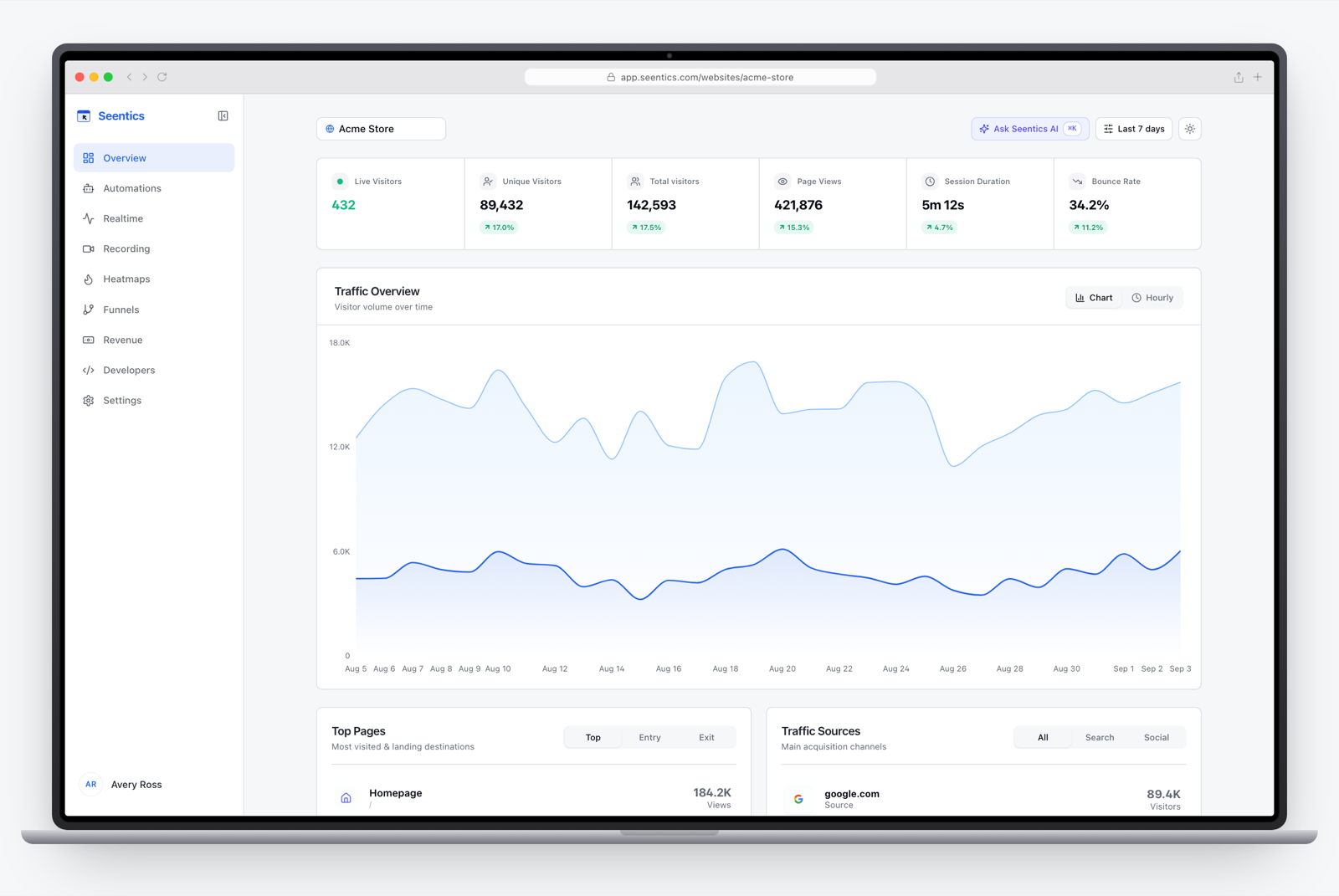
The Seentics dashboard.
Example: the same job in each tool
Goal: show a free-trial offer to first-time visitors who read most of the pricing page and try to leave.
- In Poptin: pick an exit-intent template, set the page and new-visitor rules, add an email field and connect your email platform. Results show views and submissions.
- In Seentics: create an automation with an exit-intent trigger on the pricing page and conditions for first-time visitors, then add a modal with the email form switched on. Submissions are listed on the automation's page, attributed to the popup and variant, and sent to the destinations you chose, such as Mailchimp or a webhook. Add a goal on the
lead_capturedevent and open the funnel to compare visitors who saw the message with those who did not.
Both work. The first is faster to build. The second is easier to evaluate.
Which should you choose
| If you... | Choose |
|---|---|
| Mainly want email capture with templates and a leads list | Poptin |
| Want targeted prompts tied to funnels, replays and revenue | Seentics |
| Need to self-host or avoid cookies | Seentics |
| Need a connector other than Zapier, Mailchimp, Klaviyo or HubSpot | Poptin (or another dedicated tool), or Zapier from Seentics |
| Want the best of both | Poptin for capture, Seentics for analytics, with the signup tracked as a goal |
Switching from Poptin
- List your live popups and their triggers, audiences and goals.
- Export your Poptin leads and import them into your email platform; new Seentics leads can be exported as CSV.
- Decide which popups need a form builder (keep these in a form tool) and which are really behavior-triggered messages (rebuild these as automations).
- Create a goal for each so you measure outcomes, not only submissions.
- Run both in parallel on one page, then remove the old script only when nothing is missing.
More options are in Poptin alternatives.
FAQ
Is Seentics a Poptin alternative?
For behavior-triggered popups with email capture, delivery to your email tool or CRM, and measurement, yes. For a drag-and-drop builder with a very large template library and a wide integration catalogue, not yet.
Can Seentics collect email addresses?
Yes. A modal can carry an email form with optional extra fields and a consent checkbox. Submissions are listed on the automation's page, where you can search them, export a CSV or delete one, and are kept for 90 days. They are also sent automatically to the destinations you pick for that form: Mailchimp, Klaviyo, HubSpot or Zapier (or any HTTPS webhook), added in Settings > Integrations and retried if a tool is down. Seentics does not keep a long-term contact list, so keep that in the tool the destination feeds. Mailchimp and Klaviyo subscriptions are only made for visitors who ticked the consent box.
Does Seentics need a cookie banner?
Seentics uses no cookies and no fingerprinting, storing one visitor id in localStorage. Whether you need a notice for data your popups collect depends on what you collect. Ask your legal counsel; this is not legal advice. See GDPR analytics without a cookie banner.
Which is cheaper?
It depends on traffic and needs. Poptin prices by monthly visitors; Seentics is free to self-host or has Free and Pro plans. Compare against your own traffic on each pricing page, and count any extra analytics tools you would otherwise pay for.
Can I run both?
Yes. Many teams keep a form tool for email capture and use Seentics for analytics and behavior-triggered messages.
Try it
See behavioral triggers, funnels and replays in the live demo, or read the code on GitHub.
Logos are trademarks of their respective owners and are used only to identify the products discussed.